Tick Detector
Tick Identifier: Fast, Clear Tick Checks
Found a dark speck on skin, clothing, or pet fur? Ticky helps you inspect tick photos with visual filters, contrast modes, and practical tick identification guides.

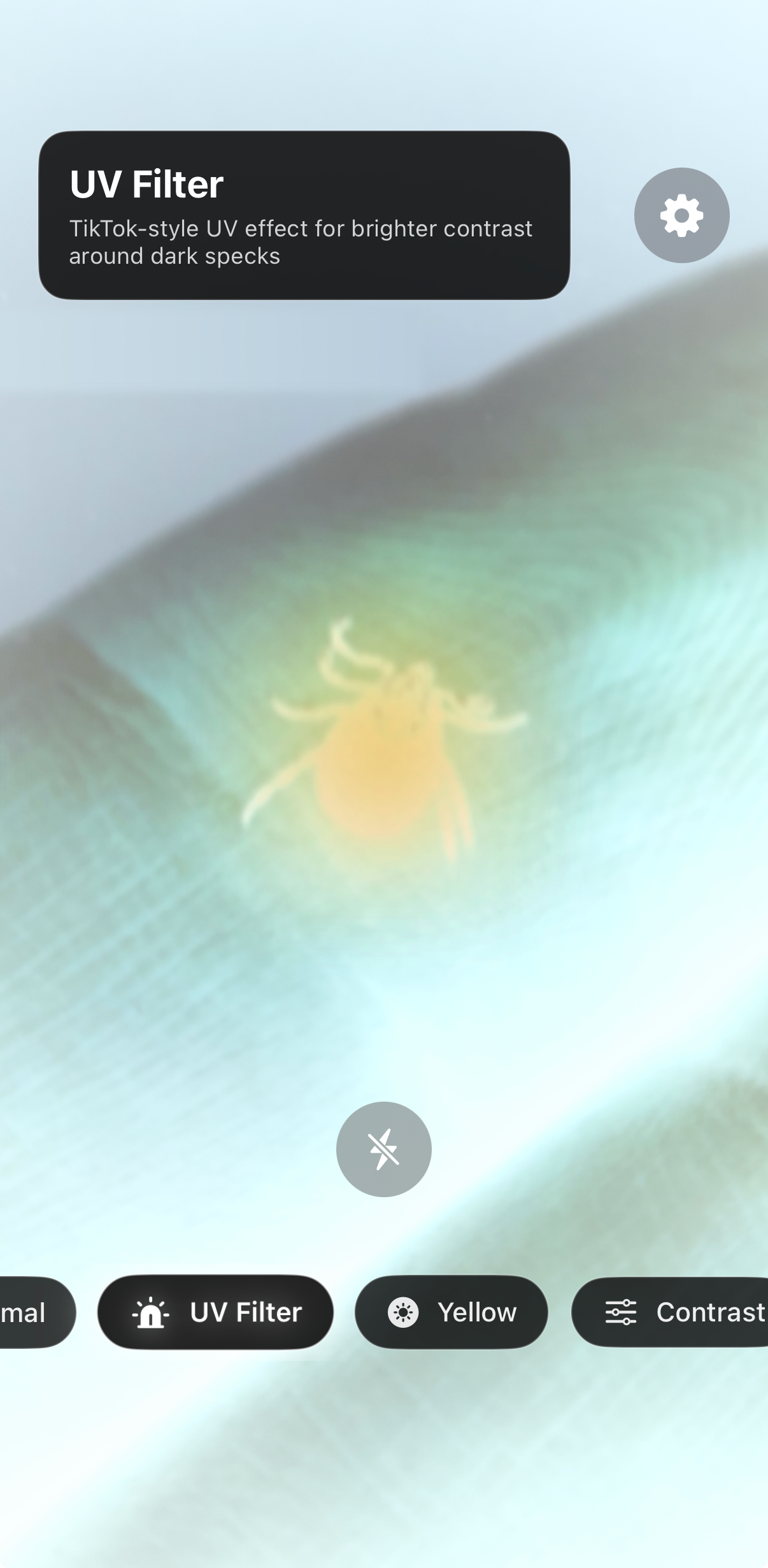
How it works
Identify a tick in three simple steps
Use Ticky as a visual aid when you need a closer look at a suspicious mark, speck, or tick-like shape.
Take a close photo
Photograph the area in good light and keep the tick or speck sharp enough to inspect.
Apply visual filters
Use contrast modes to make small dark shapes easier to see on fur, skin, fabric, or bedding.
Compare key features
Look at body shape, legs, color, size, markings, and whether the tick looks flat or engorged.
For pets and people
Check ticks on dogs, clothing, bedding, and skin
Ticky is designed for quick visual checks when a tiny speck is hard to see. It does not replace medical or veterinary advice, but it helps you inspect and document what you found.
- Dog tick identification tips
- Nymph and engorged tick comparison
- Tick bite photo guidance
- Educational next steps after finding a tick

Guides
Learn more about tick identification
Practical guides for the questions people actually ask when they find a tick.
Tick Identification Chart
Compare common tick species by size, color, markings, and where they are usually found.
Read the guideDeer Tick Identification
Compare possible deer tick photos using body shape, dark legs, reddish-brown tones, and size clues.
Read the guideDog Tick Identification
Found a tick on your dog? Learn what to look for and how to document it clearly.
Read the guideTick Identification App
See how a tick identifier app can help you check a tick photo faster.
See how it worksFAQ
Tick identifier questions
Can I identify a tick from a photo?
Yes. Ticky helps you inspect a tick photo with visual filters, contrast modes, and zoom-friendly viewing. It is useful for comparing what you found with common tick identification guides.
Can Ticky help with ticks on dogs?
Yes. You can use it for quick visual checks on dog fur, bedding, clothing, or skin. It helps make tiny dark specks easier to inspect before you decide what to do next.
What is the best way to photograph a tick?
Use bright light, keep the camera steady, and place the tick on a plain background if possible. Take a close photo from above, then use Ticky filters to improve visibility.
How do I show a tick’s size in a photo?
If the tick is no longer attached, place it on a plain light surface next to a ruler or a coin and take one photo from above and one from the side. If it is still attached to skin or a pet, do not delay removal for a perfect picture: take a quick photo if you can, then follow official guidance or ask a professional.
When is a tick identification app useful?
After a walk, a hike, yard work or travel, or after checking a dog or clothing that brushed against grass or woods, when you find a small dark spot and want a closer look. Save the photo with the date, the place and where the tick was found: if you later speak with a doctor or veterinarian, those details may help.
Should I see a doctor after a tick bite?
If you were bitten, have symptoms, or are unsure what to do, contact a medical professional. Ticky is an educational visual tool and does not replace medical advice.
Check ticks faster with Ticky
Use Tick Detector Checker – Ticky to inspect tick photos with visual filters and learn what to do next.
Download on the App Store